Version update guide
Overview
The server has been updated to 26.2! This means you'll need to update your Minecraft installation to match this version, it's pretty simple and quite similar to the steps you followed in the setup guide.
Instructions
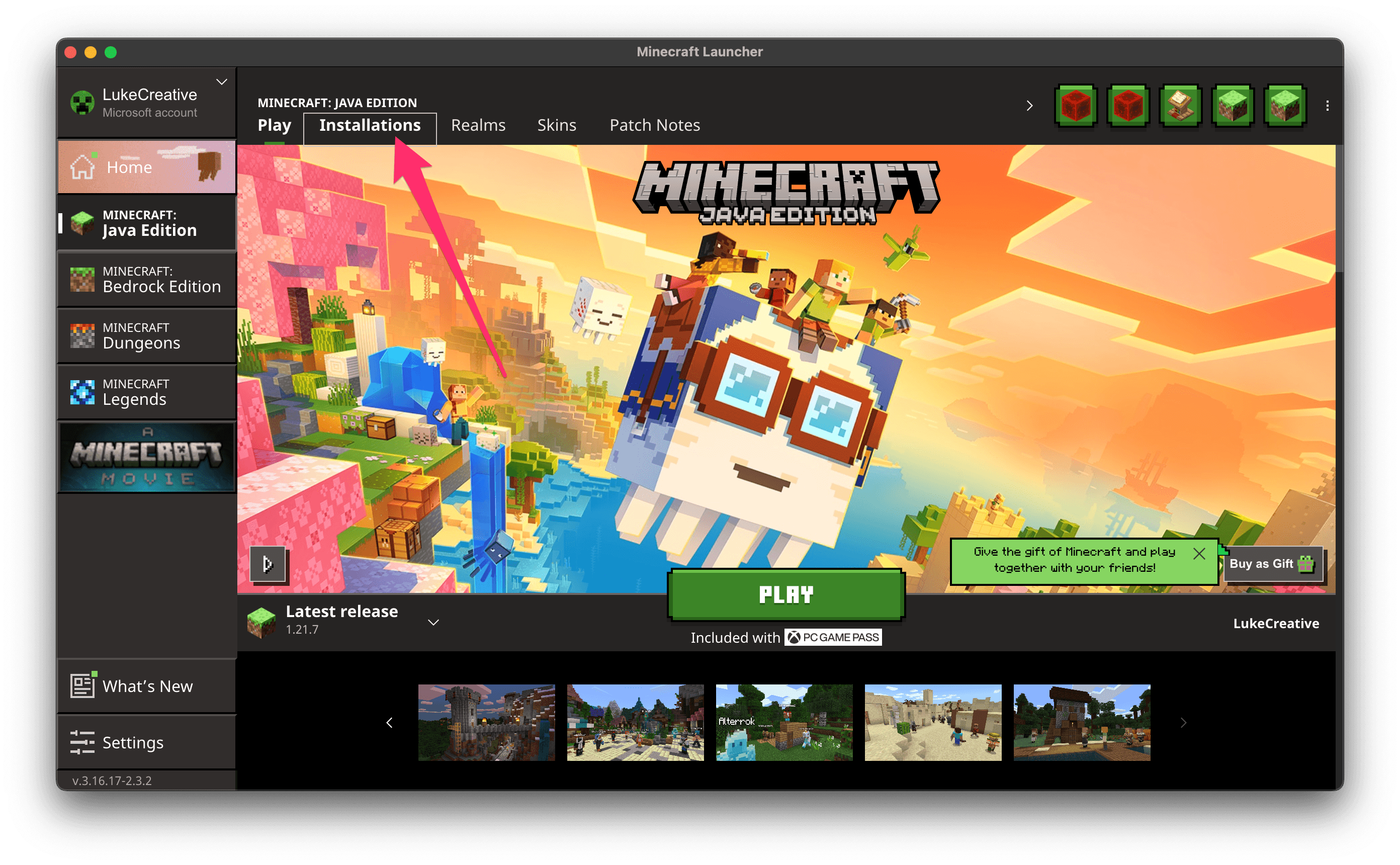
Open Minecraft; you will be greeted with the Minecraft Launcher screen, but do not click the big green "PLAY" button yet.
Click the "Installations" tab towards the top of the screen.
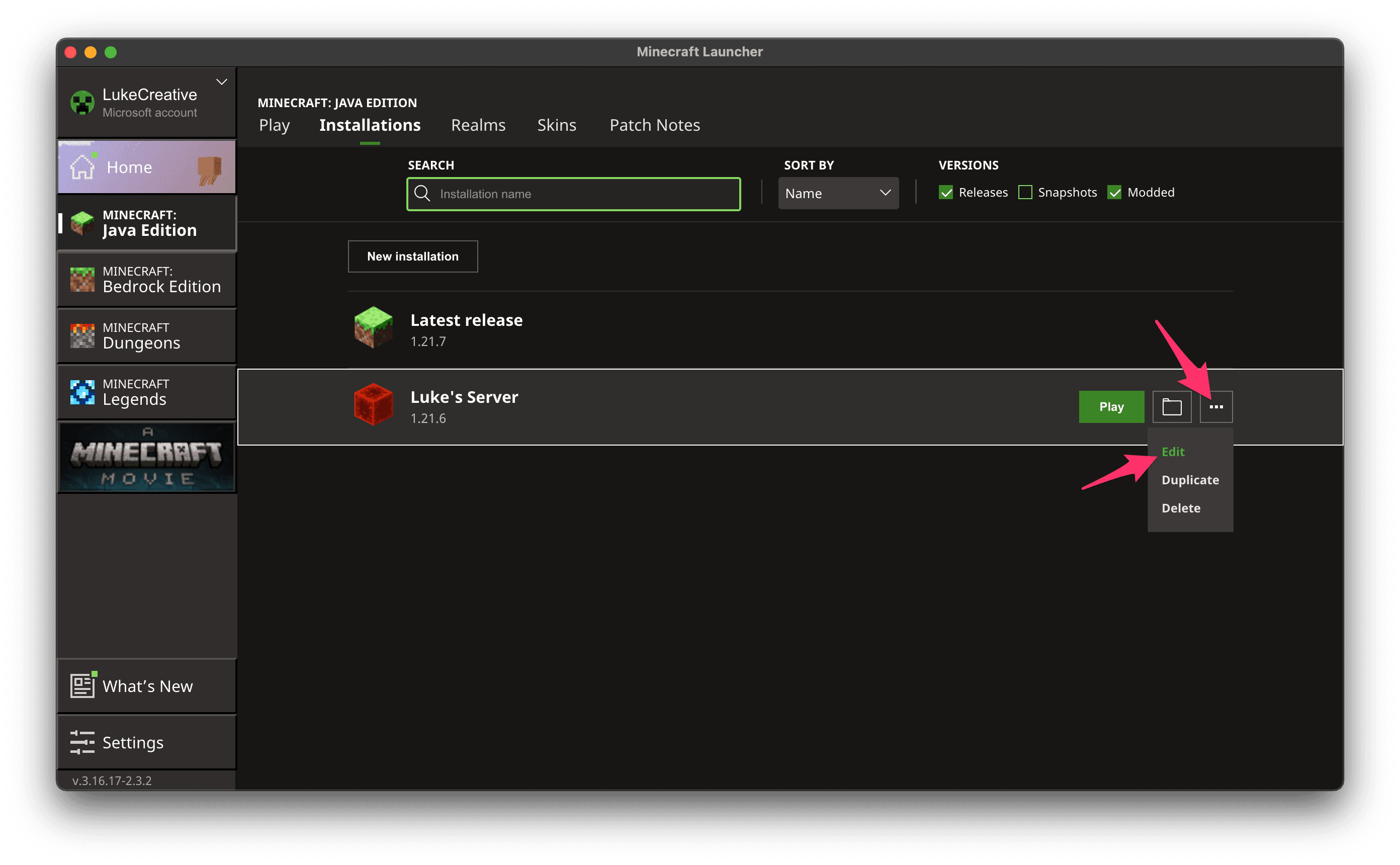
- On the "Installations" screen, you should see your installation you created for the server. Let's edit it by hovering over it with your mouse clicking the button with the 3 dots (•••).
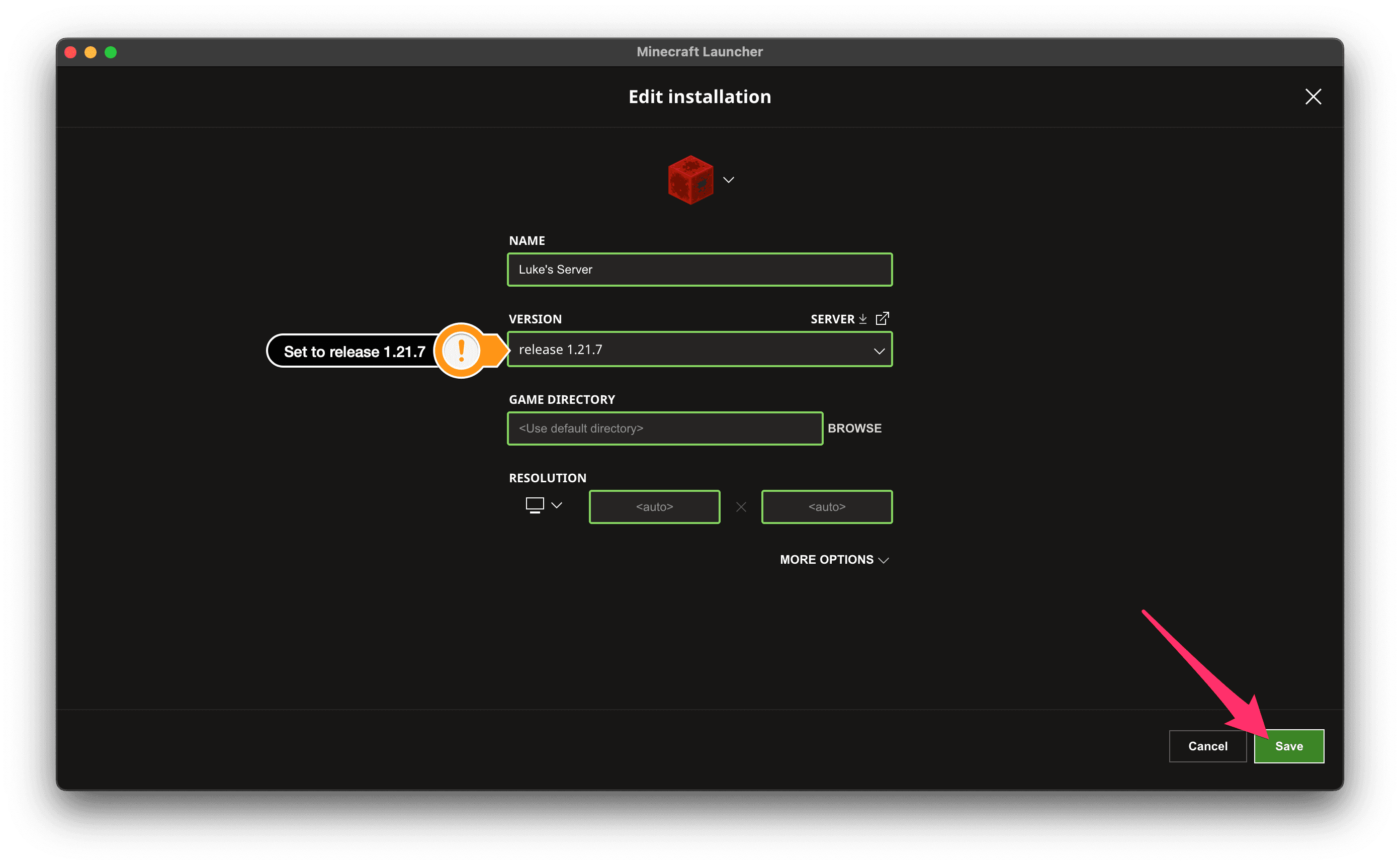
- In the "Edit installation" dialog, select the "release 26.2" option from the "Version" dropdown menu. Make sure the option does not say "Latest release" in it as this version will always stick to the latest version of Minecraft. You can leave the remaining options as they are. Once you are done, click the "Save" button at the bottom of the dialog.
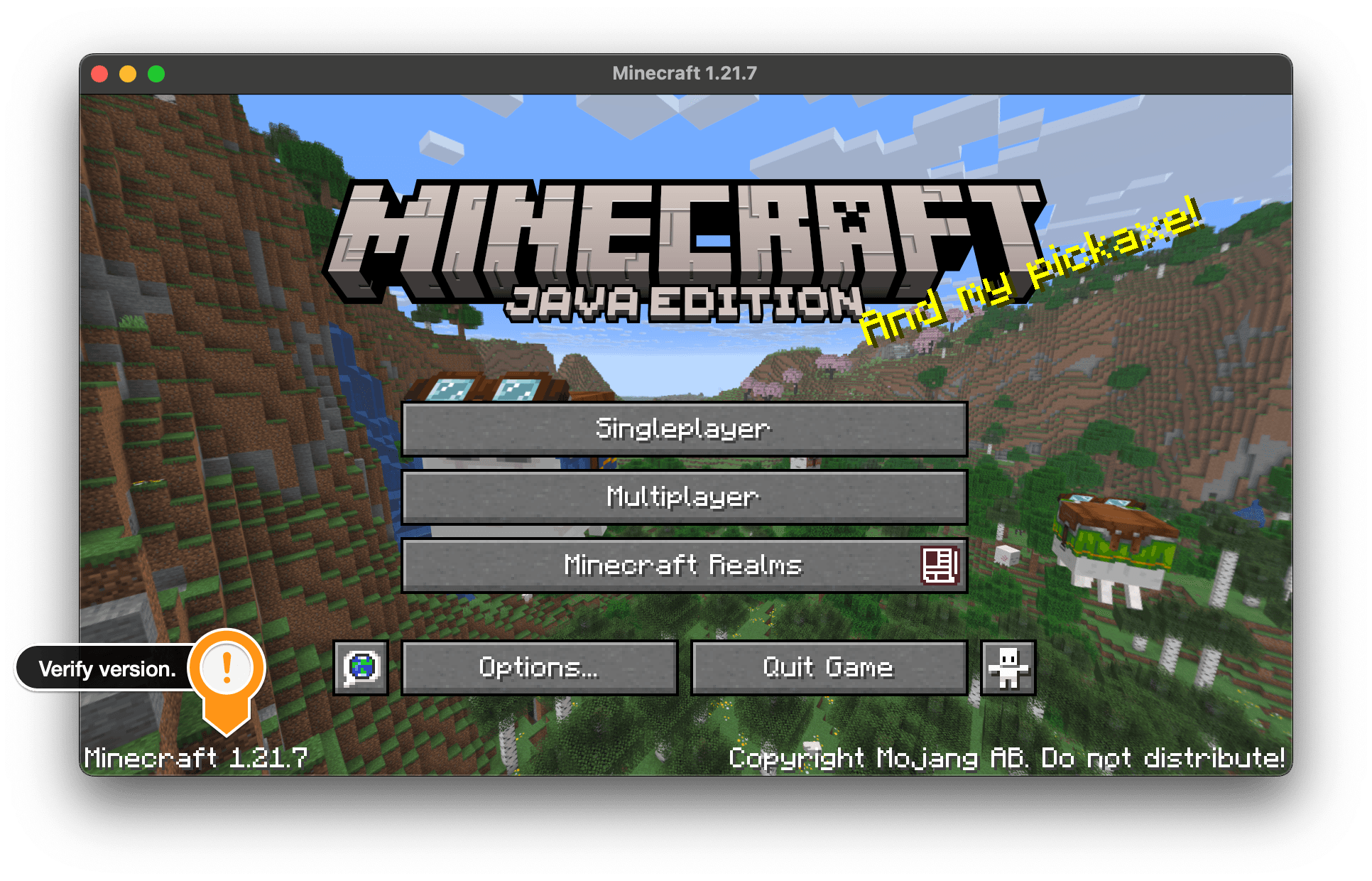
- Proceed to launch Minecraft as usual and notice the updated version number in the lower left corner of the menu.